Loading...
Canva-level design. AI speed.

AI Poster Maker

Poster maker • Flyer maker • Banner maker

Your idea → AI generates designs → you customize. Download Pixeen to create in minutes.

One-tap resize Brand kit High-res export
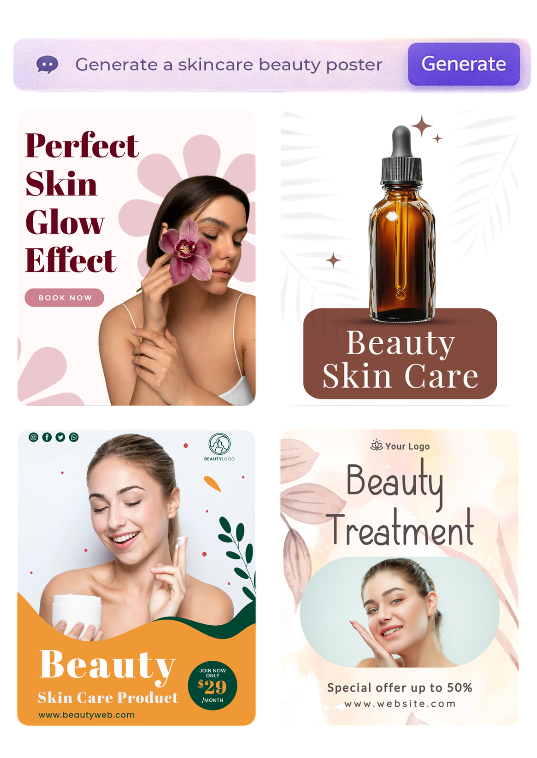
Pixeen AI poster maker app

AI poster creation, end-to-end

Generate, then customize—without compromises

Text → Poster (AI)

Type a simple sentence and get multiple poster concepts. Pick one and refine it in seconds.

Editable posters

Change headline, offers, colors, fonts, icons and layout. Make it match your brand, fast.

Templates + Remix

Start from ready-made templates and remix them with AI for your exact message and style.

All sizes, one design

Create for posters, flyers, Instagram posts/stories, and banners—keep a consistent look across formats.

Style controls

Pick mood and design direction (minimal, luxury, bold, playful). Regenerate until it’s perfect.

Export ready

Download high-quality poster images for social or print-ready sharing.

Templates that don’t look templated

Start with a style. Make it yours.

Flyer & sale poster template 1
Business poster template 2
Banner template 3
Promotion poster template 4
Event flyer template 5
Sale poster template 6
Restaurant flyer template 7
Social media banner template 8

Templates for every moment

Events, sales, hiring, restaurants, real estate, festivals—start with a template, then personalize in minutes.

Flyer Advertisement Sale Food Grand Opening We’re Hiring Event Restaurant Real Estate Festival Education Fitness Beauty Clinic Travel

A poster editor that feels familiar

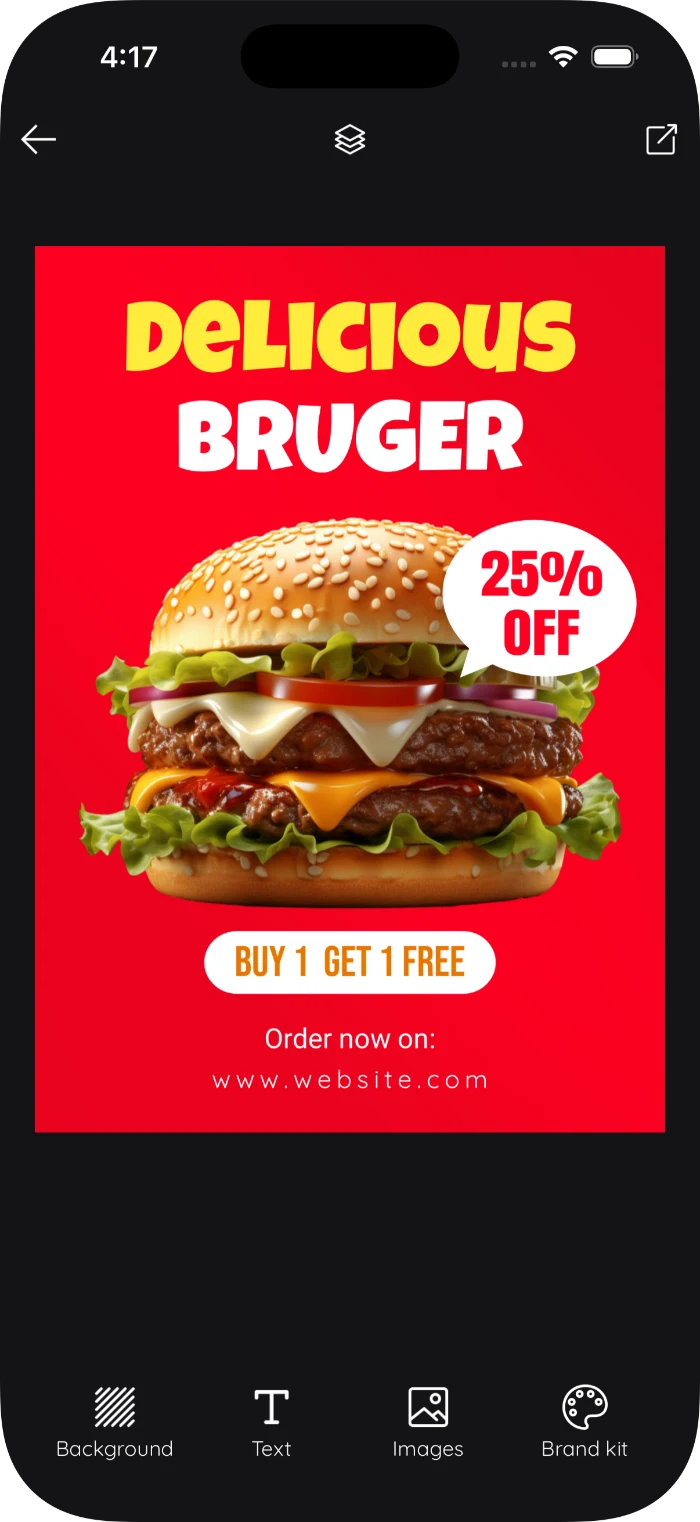
Pixeen keeps poster customization simple: edit text fast, align elements, change colors, and make it look premium without learning complex tools.

Typography controls
Alignment & spacing
Upload your images
Icons, shapes, stickers
Layers (bring forward/back)
Undo / redo
Poster editor preview

How it works

From idea → poster in 5 steps

Pick a format

Poster, logo, Instagram post, story, flyer, thumbnail—choose your canvas instantly.

Type your idea

Describe what you want. Pixeen suggests styles, layouts, and copy options.

Generate variations

Get multiple poster options. Choose the one closest to your style.

Customize

Edit text, reposition elements, change colors/fonts, and add your images or logo.

Download & share

Export your poster and post it anywhere—social, WhatsApp, ads, or print.

Get the Pixeen App

Download Pixeen and start creating posters and logos in minutes.

Get it on Google Play
Download on the App Store Coming Soon

FAQ

Quick answers

It’s a mobile-first tool that turns a short description into poster designs you can edit and customize—text, colors, and layout.

Yes. You can edit text, swap colors, adjust layout, and add your images/logo to make it fully yours.

Yes. Pixeen includes a growing template library (sale, event, hiring, restaurant and more). Pick one and customize in minutes.

Include the goal (sale/event/hiring), the key message (offer), any required text (date/time/location/CTA), and preferred colors/style.